Ai For Creative Professionals: Learning Completely 15 Tools In 1 Course

Published

Master ChatGPT, Midjourney, DALL-E, Stable Diffusion & 11 other AI tools for design, video, music, and more!

4.8
👥 45,678 students
⏱️ 18 hours
🔄 Updated 02 February 2026
🎞️ Subtitle: Tiếng Anh + Tiếng Việt
AI ChatGPT IT 🏆 Bestseller

AI is rapidly reshaping how creators write, design, research, and produce content. This course is built to help creative professionals systematically understand and apply today's most powerful AI tools in real-world workflows. Instead of scattered knowledge, you get a structured pathway that connects AI writing, AI research, AI image generation, and creative automation into one practical learning experience.

Below, you'll find a clear breakdown of what you'll learn, the detailed course content, and a full description of how each module helps you build real, applicable AI skills.

What you'll learn

  • Master ChatGPT for creative writing and brainstorming
  • Create stunning images with Midjourney and DALL-E
  • Use Stable Diffusion for advanced AI art
  • Generate videos with AI tools like Runway and Synthesia
  • Produce music and sound effects with AI
  • Automate design workflows with AI tools
  • Create logos, banners, and marketing graphics
  • Edit photos and videos with AI assistance
  • Generate voiceovers and subtitles automatically
  • Build efficient creative workflows with AI

Course content

15 sections 286 lectures 104h 26m total length
1 - ChatGPT Unlocking the Power of Language Models
21 lectures • 27 min
1. ChatGPT 101 What It Is and Why You Need It Today
38 sec
2. The Power of Language Models Unlocking ChatGPT’s Potential
27 sec
3. The Biggest Problem with ChatGPT & What's Wrong with It
36 sec
4. How to Access ChatGPT in Seconds A Beginner’s Guide
52 sec
5. Context is Key How to Get the Best Results from ChatGPT
56 sec
6. Create Your ChatGPT Account Get Started Fast
1 min
7. ChatGPT Plans & Pricing What You Need to Know Before You Start
31 sec
8. The Ultimate ChatGPT Starter Guide Your First Steps
45 sec
9. Speak to ChatGPT How to Use Vocal Commands for Instant Results
1 min
10. Unlock ChatGPT’s Hidden Powers Create Images Shop Research & More
1 min
11. Deep Research vs ChatGPT’s “Thinking” Mode What’s the Difference
43 sec
12. Study & Learn Like a Pro with ChatGPT’s Special Modes
53 sec
13. How to Use Web Search Canvas Photos & Files in ChatGPT
29 sec
14. Your First Command How to Start ChatGPT and Get Instant Results
30 sec
15. Dictate vs Voice Mode in ChatGPT What You Should Know
46 sec
16. Mastering Voice Mode in ChatGPT Speak Your Commands
1 min
17. ChatGPT Deep Dive How to Use It for Research & Learning
5 min
18. Create Stunning Visuals with ChatGPT A Step by Step Guide
2 min
19. Navigate ChatGPT Like a Pro Sidebar and Settings Explained
1 min
20. Customize Your ChatGPT Experience Full Settings Walkthrough
3 min
21. Temporary Chats in ChatGPT Use Cases and Benefits
33 sec
2 - Gemini Google’s AI Revolution in Your Hands
16 lectures • 18 min
22. Introduction to Gemini Google’s Next Gen AI Power
37 sec
23. Unlocking the Power of Google Ecosystem with Gemini
1 min
24. The Top 5 Ways to Use Gemini for Productivity & Creativity
1 min
25. How to Access Gemini Quick Setup Guide
16 sec
26. Gemini’s Hidden Integration with Google Products What You Need to Know
40 sec
27. First Impressions of Gemini Does It Live Up to the Hype
1 min
28. Master Typing Commands in Gemini Boost Your Efficiency
50 sec
29. Voice Commands with Gemini How to Talk to Your AI Assistant
1 min
30. Running Your First Command in Gemini Simple & Effective
1 min
31. Exploring the Gemini Sidebar Key Features You’ll Love
25 sec
32. Temporary Chat in Gemini Get Instant Answers on the Go
21 sec
33. How to Learn with Gemini Guided Learning for Faster Mastery
2 min
34. Gemini Pricing & Plans Which Option is Best for You
1 min
35. Creating Beautiful Images with Gemini A Quick Guide
2 min
36. Customizing Your Gemini Experience Settings Walkthrough
39 sec
37. Hidden Gems in Gemini Advanced Features for Power Users
54 sec
3 - Copilot Supercharge Your Work with Microsoft’s AI
12 lectures • 16 min
38. What Is Copilot and Why You Should Be Using It
38 sec
39. Top Use Cases for Microsoft Copilot How It Can Transform Your Workflow
1 min
40. How to Get Started with Copilot Accessing the AI Assistant
53 sec
41. First Impressions of Copilot Is It the Future of Work
53 sec
42. Navigate Copilot’s Sidebar Key Features You’ll Need to Know
1 min
43. Talking to Copilot Voice Commands for Instant Results
2 min
44. Personalizing Copilot Full Settings Walkthrough
18 sec
45. Creating Your Copilot Account Quick Setup Guide
1 min
46. Run Your First Command in Copilot Hands On Practice
1 min
47. Study and Learn with Copilot Supercharge Your Learning
1 min
48. Create Images with Copilot A Simple Guide for Beginners
3 min
49. Microsoft Copilot The Final Word on How It Will Change Your Work
48 sec
4 - DeepSeek Unlock the Power of Deep Advanced AI Search
15 lectures • 14 min
50. Introduction to DeepSeek The Future of AI Search
59 sec
51. The Company Behind DeepSeek Who Are They
53 sec
52. How DeepSeek Went Viral The Secret Behind Its Popularity
54 sec
53. How to Access DeepSeek Quick Setup Guide
15 sec
54. Switching DeepSeek to English A Simple Walkthrough
18 sec
55. Creating Your DeepSeek Account A Step by Step Guide
26 sec
56. First Impressions of DeepSeek What Makes It Stand Out
39 sec
57. Running Your First Command in DeepSeek Getting Started
1 min
58. DeepSeek Sidebar Walkthrough Key Features Explained
12 sec
59. DeepSeek Search & DeepThink Modes Mastering the Tool
2 min
60. Can DeepSeek Create Images Unlocking Its Full Potential
1 min
61. Limitations of DeepSeek What It Can’t Do (Yet)
30 sec
62. DeepSeek is Completely Free How to Maximize Its Value
2 min
63. DeepSeek Settings Walkthrough Personalize Your Experience
53 sec
64. Final Thoughts on DeepSeek Is It Right for You
27 sec
5 - Pi Inflection AI's Personal Assistant Chat Learn & Create with Pi
14 lectures • 13 min
65. Introduction to Inflection AI The Power Behind Pi
49 sec
66. Meet Pi Inflection AI's Revolutionary Personal Assistant
31 sec
67. Best Use Cases for Pi How Pi Can Improve Your Life
1 min
68. How to Access Pi Get Started with Ease
31 sec
69. Creating Your Pi Account A Simple Setup Guide
2 min
70. First Impressions of Pi How Does It Stack Up
43 sec
71. Running Your First Command in Pi Hands On Practice
1 min
72. The Difference Pi Makes Why It’s More Than Just a Chatbot
1 min
73. Pi Voice Mode Speak and Listen to Your AI Assistant
50 sec
74. Can Pi Generate Images Unlock Pi’s Creative Power
32 sec
75. Pi is Completely Free What You Get at No Cost
54 sec
76. Limitations of Pi What Pi Can't Do
31 sec
77. Pi Settings Walkthrough Personalizing Your Assistant
1 min
78. Final Words on Pi Why Pi Could Be the Future of Personal AI
29 sec
6 - Perplexity Unleashing the Full Power of AI Research and Conversation
16 lectures • 17 min
79. Introduction to Perplexity The AI Research Tool You Need to Know
57 sec
80. Best Use Cases for Perplexity How It Can Boost Your Productivity
36 sec
81. How to Access Perplexity Getting Started with Ease
54 sec
82. First Impressions of Perplexity What Makes It Stand Out
1 min
83. Navigating Perplexity Sidebar Walkthrough for Faster Use
15 sec
84. Running Your First Command in Perplexity A Step by Step Guide
1 min
85. Creating Your Perplexity Account Setup & Customization Tips
1 min
86. Perplexity vs Other AI Tools What Sets It Apart
1 min
87. Threads in Perplexity Organize Your Conversations Like a Pro
25 sec
88. Mastering Typing Commands & Asking Perplexity Efficiency at Your Fingertips
1 min
89. Dictate Commands in Perplexity Harnessing Voice for Faster Results
51 sec
90. Voice Mode in Perplexity Streamline Your Workflow with Simple Speech
1 min
91. Why Perplexity is Perfect for Researchers A Game Changer for Detailed Studies
1 min
92. Perplexity in Its Own Words Voice Mode Demonstration
1 min
93. Asking Perplexity for a Funny Joke Lighten the Mood with AI
55 sec
94. Final Thoughts on Perplexity Is It the Right AI Tool for You
1 min
7 - YouChat Maximize Your AI Assistant’s Power for Smart Conversations
15 lectures • 13 min
95. Introduction to YouChat Ultimate AI Assistant for Conversations & Web Search
31 sec
96. Best Use Cases for YouChat How to Maximize Its Power for Work and Play
1 min
97. How to Access YouChat Quick Start Guide
37 sec
98. Creating Your You com Account A Step by Step Walkthrough
1 min
99. Switching From YouPlatform to YouChat A Required Transition
36 sec
100. First Impressions of YouChat What Makes It Unique
42 sec
101. Exploring YouChat Chatbot Model Web Search & Attachment Features Explained
41 sec
102. Dictate Commands in YouChat Voice Dictation for Hands Free Interactions
1 min
103. Running Your First Command in YouChat Hands On Practice
30 sec
104. The Domain of Possibilities in YouChat What Can Be Done & What Can't
27 sec
105. Creating Images with YouChat Harnessing AI for Visual Content Creation
2 min
106. Convincing Us to Use YouChat Why It’s a Game Changer for AI Conversations
41 sec
107. YouChat Plans & Pricing Which Option Fits Your Needs
48 sec
108. YouChat Settings Personalize Your Experience
58 sec
109. Final Thoughts on YouChat When to Use It and Why It’s a Must Have Tool
23 sec
8 - JotBot Structured AI Writing for Speed Accuracy & Long Form Outputs
19 lectures • 18 min
110. Welcome to JotBot What This Writing AI Can Do
43 sec
111. Accessing JotBot Platforms Devices & Browser Setup
1 min
112. Creating Your JotBot Account Step by Step
1 min
113. First Look Exploring JotBot’s Interface & Workflow
1 min
114. Inside the JotBot Writing Studio Text Editor Overview
27 sec
115. Crafting High Quality Prompts for JotBot Writing
41 sec
116. Adding Sources Using Images Docs & Materials in Prompts
53 sec
117. Training JotBot to Match Any Writing Style
1 min
118. Controlling Output Length Short Medium & Extended Drafts
10 sec
119. Controlling Output Length Short Medium & Extended Drafts
14 sec
120. JotBot Free vs Unlimited Which Plan You Need
1 min
121. Your First JotBot Draft From Idea to Outline
1 min
122. Reviewing & Improving Your AI Generated Outline
58 sec
123. Expanding Your Outline Into a Full Draft
1 min
124. Writing & Editing Directly Inside the JotBot Editor
1 min
125. Using AI Commands Inside the JotBot Text Editor
25 sec
126. JotBot Settings Optimization Tips & Best Practices
31 sec
127. Organizing Your Work Folders Projects & Documents
47 sec
128. Final JotBot Summary When to Use It vs Other Tools
23 sec
9 - QuillBot Rewrite Humanize & Perfect Your Writing With Precision
15 lectures • 22 min
129. What Is QuillBot Full Introduction to the Toolkit
41 sec
130. Accessing QuillBot Website Extensions & Applications
43 sec
131. Creating & Setting Up Your QuillBot Account
1 min
132. First Setup Modes Interfaces & Essential Features
1 min
133. Creating a Draft in ChatGPT for QuillBot Refinement
1 min
134. Using QuillBot’s AI Detector Effectively
1 min
135. Humanizing AI Text With QuillBot’s AI Humanizer
2 min
136. Testing Humanized Text in QuillBot’s AI Detector
1 min
137. Mastering QuillBot’s Paraphrasing Tool
1 min
138. Fixing Errors With QuillBot’s Grammar Checker
2 min
139. Using QuillBot’s Built In AI Chatbot
54 sec
140. Writing Commands for QuillBot ChatBot
1 min
141. Creating Images With QuillBot Image Generator
1 min
142. Summarizing Long Content With QuillBot’s AI Summarizer
2 min
143. Final Thoughts When to Use QuillBot & Why
55 sec
10 - HyperWrite Fast Drafting Idea Expansion & Smart Writing Automations
14 lectures • 14 min
144. Introduction to HyperWrite & Its Core Capabilities
1 min
145. Creating Your HyperWrite Account Easily
56 sec
146. Navigating HyperWrite First Look & Key Features
43 sec
147. Light vs Dark Mode Personalizing Your Workspace
14 sec
148. Switching Between HyperWrite’s AI Models
31 sec
149. Recording Audio & Dictating Content in HyperWrite
1 min
150. Running Your First Command in HyperWrite
57 sec
151. Understanding HyperWrite’s Limitations & Strengths
1 min
152. Writing a Complete Article With HyperWrite
1 min
153. Creating & Managing Documents Inside HyperWrite
59 sec
154. Using Sidebar Article Generation Tools
2 min
155. Exploring HyperWrite’s Full Collection of Writing Tools
1 min
156. HyperWrite Settings Walkthrough & Best Practices
40 sec
157. Final Words HyperWrite vs Other AI Writing Tools
34 sec
11 - Microsoft Designer AI Powered Graphics Editing & Social Content
36 lectures • 39 min
158. What Is Microsoft Designer and Why It’s So Powerful
1 min
159. How to Access Microsoft Designer on Any Device
36 sec
160. Why Microsoft Succeeded With This AI Design Tool
44 sec
161. What You Can Create With Microsoft Designer
1 min
162. Creating Your Microsoft Designer Account
2 min
163. What You’ll Build Step by Step in This Section
52 sec
164. How Prompt Based Image Generation Really Works
1 min
165. Writing Effective Prompts for Better Images
53 sec
166. Choosing the Right Image Size for Best Results
14 sec
167. Generating AI Images with Microsoft Designer
1 min
168. Accessing Microsoft Designer’s Image Editor
54 sec
169. Uploading Your Own Images into the Editor
1 min
170. Adding AI Generated Images to the Editor
23 sec
171. Essential Editing Tools Crop Resize Adjust & Erase
2 min
172. Removing Blurring & Replacing Backgrounds with AI
41 sec
173. AI Object Editing Erase Move Cutout & Transform
55 sec
174. Image Enhancements Upscale Focus & Color Pop
32 sec
175. Filters & Visual Effects Explained
38 sec
176. Adding and Editing Text in Microsoft Designer
2 min
177. Hidden Right Click Features You Should Know
1 min
178. Working with Multiple Images in One Design
14 sec
179. Using Visual Assets Inside Microsoft Designer
1 min
180. Markup Tools Pen Highlighter & Eraser
51 sec
181. Understanding Layers in the Editor
33 sec
182. AI Auto Enhancements & Smart Editing
2 min
183. Creative Possibilities with Microsoft Designer
36 sec
184. How AI Image Framing Works
36 sec
185. Choosing Your Image for Framing
21 sec
186. Prompting and Selecting Frame Styles
35 sec
187. Generating Framed Images with AI
52 sec
188. Understanding Marketing Content Generators
2 min
189. Prompting for AI Social Media Posts
1 min
190. Adding Reference Images to Social Designs
52 sec
191. Generating AI Social Media Graphics
1 min
192. Creating AI Posters with Microsoft Designer
1 min
193. Final Thoughts on Microsoft Designer
40 sec
12 - Leonardo AI Advanced Prompt Based Art & Visual Generation
18 lectures • 18 min
194. Introduction to Leonardo AI and Its Capabilities
1 min
195. How to Access Leonardo AI
1 min
196. Leonardo AI Plans & Pricing Explained
1 min
197. Launching and Navigating the Leonardo App
41 sec
198. Creating Your Leonardo AI Account
1 min
199. First Look Interface and Workflow Overview
34 sec
200. Accessing Leonardo’s Image Generator
38 sec
201. Selecting the Right AI Model
37 sec
202. Pre Generation Settings Style Size & Quality
50 sec
203. Prompt Improvement Tools Inside Leonardo
43 sec
204. What You’ll Create Using Leonardo AI
38 sec
205. Adding Image References for Better Results
1 min
206. Writing Detailed Prompts That Work
1 min
207. Generating Your First AI Image
1 min
208. Improving Results Through Iteration
1 min
209. Exploring Advanced Leonardo Features
1 min
210. Prompt Based Video Generation with Leonardo
1 min
211. Final Thoughts on Leonardo AI
24 sec
13 - Fotor AI Image Generation Editing & AI Headshots
38 lectures • 40 min
212. Introduction to Fotor AI
1 min
213. Accessing Fotor on Web & Desktop
39 sec
214. Creating a Fotor Account
1 min
215. First Look at the Fotor Interface
59 sec
216. Fotor Credits Plans & Pricing
1 min
217. Introduction to Fotor AI Image Generator
20 sec
218. Accessing the Image Generator
32 sec
219. Writing Effective Prompts for Fotor
1 min
220. Prompt Enhancements Explained
12 sec
221. Image Generator Settings Overview
1 min
222. Exploring AI Styles
31 sec
223. Understanding AI Models
18 sec
224. Generator Modes Text to Image & Image to Image
37 sec
225. Using Reference Images Properly
1 min
226. Generating Images with Fotor
1 min
227. Improving Results Through Iteration
33 sec
228. Reusing Prompts from Generated Images
24 sec
229. Accessing Fotor’s Photo Editor
41 sec
230. Uploading Images for Editing
1 min
231. Introduction to AI Editing Tools
1 min
232. Complete AI Tools Walkthrough
1 min
233. Image Adjustments Explained
1 min
234. Effects & Filters in Fotor
1 min
235. Beauty & Retouching Tools
56 sec
236. Frames and Borders
45 sec
237. Working with Text
2 min
238. Elements & Design Assets
2 min
239. Elements vs Uploaded Images
53 sec
240. Editor Settings & Preferences
20 sec
241. Exporting and Downloading Images
1 min
242. Introduction to Fotor AI Headshots
48 sec
243. Accessing the Avatar Generator
31 sec
244. First Look at AI Headshots
37 sec
245. Choosing Avatar Styles
1 min
246. Photo Requirements Explained
1 min
247. Free vs Pro Avatar Styles
1 min
248. Final AI Avatar Results
1 min
249. Final Thoughts on Fotor
43 sec
14 - Pixlr AI Fast Photo Editing Retouching & Background Removal
18 lectures • 17 min
250. Introduction to Pixlr AI
34 sec
251. Best Use Cases for Pixlr
45 sec
252. Accessing Pixlr Tools
41 sec
253. Pixlr Plans & Pricing
50 sec
254. Creating a Pixlr Account
1 min
255. Pixlr Tool Overview Editor Express & AI
1 min
256. First Look at Pixlr Editor
1 min
257. Photo Retouching Tools Explained
1 min
258. Pixlr AI Editing Tools
24 sec
259. Adding and Editing Text
1 min
260. Working with Layers
14 sec
261. Cutout and Selection Tools
39 sec
262. Adjustments Filters & Effects
25 sec
263. Free Plan Limitations Explained
1 min
264. Accessing Pixlr AI Image Generator
51 sec
265. Prompt Based Image Generation
1 min
266. AI Background Removal
57 sec
267. Final Thoughts on Pixlr
1 min
15 - Adobe Firefly Professional AI Image Generation & Editing
19 lectures • 20 min
268. Introduction to Adobe Creative Cloud
50 sec
269. What Is Adobe Firefly
53 sec
270. Accessing Adobe Firefly
57 sec
271. First Look at Firefly
49 sec
272. Writing Prompts for Image Generation
50 sec
273. Firefly Generation Settings Explained
35 sec
274. Prompt Enhancements & Suggestions
28 sec
275. Using Reference Images in Firefly
57 sec
276. Creating an Adobe Account
1 min
277. Adobe Firefly Plans & Pricing
1 min
278. Generating AI Images with Firefly
1 min
279. Reviewing Firefly’s High Quality Results
27 sec
280. Introduction to Prompt Based Photo Editing
1 min
281. Accessing Firefly’s Editing Tools
56 sec
282. Adding Images for Editing
35 sec
283. Writing Prompts for Image Editing
2 min
284. Fixing Errors & Common Issues
2 min
285. Final Edited Image Results
37 sec
286. Final Thoughts on Adobe Firefly
46 sec

Requirements

  • No prior AI experience needed
  • A computer with internet access
  • Enthusiasm to learn new creative tools
  • Some tools may require subscriptions (free options available)

AI for Creative Professionals: The Complete Practical Bundle is a comprehensive, structured AI training program built specifically for creative professionals who want to work more efficiently, elevate output quality, and stay competitive in an AI-driven industry.

You can see more courses about this AI category at here:

What This Course Covers

This program provides clear, step-by-step guidance on 15 of today's most powerful AI tools, spanning:

  • Conversational AI platforms
  • Writing enhancement tools
  • Image generation systems
  • Design applications
  • Creative productivity solutions

The course is designed for absolute beginners.

No coding knowledge, technical background, or prior AI experience is required.

AI Tools for Brainstorming, Research & Content Creation

You will learn how to effectively use platforms such as:

  • ChatGPT
  • Google Gemini
  • Microsoft Copilot
  • DeepSeek
  • Pi
  • Perplexity
  • YouChat

These tools will help you:

  • Generate ideas and brainstorm creatively
  • Conduct structured research
  • Write content and develop scripts
  • Enhance analytical and creative thinking

Writing Acceleration & Optimization

Work hands-on with:

  • JotBot
  • QuillBot
  • HyperWrite

You will learn how to:

  • Increase writing speed
  • Improve clarity and quality
  • Humanize AI-generated text
  • Edit and refine content professionally

AI-Powered Visual Creation & Design

Explore powerful creative platforms including:

  • Microsoft Designer
  • Leonardo AI
  • Fotor
  • Pixlr
  • Adobe Firefly

You will learn how to:

  • Generate AI-powered images
  • Edit and enhance photos
  • Create marketing materials and social media content
  • Design posters, avatars, and branded visuals
  • Produce professional-quality creative assets — even with zero prior design experience

Flexible, Practical Structure

The course is structured as a practical bundle:

  • Jump directly into any tool when needed
  • Or follow the full pathway to build comprehensive AI capability

By the end of the program, you will be able to:

  • Save significant time each week
  • Improve the consistency and quality of your creative output
  • Integrate AI into your daily workflow
  • Strengthen your competitive advantage in today's AI-powered marketplac

🚀 Ready to Upgrade Your Creative Workflow?

Join the course today and start building your practical AI skill set by clicking "Enroll course" button at the right!

Frequently Asked Questions

What is the AI for Creative Professionals: The Complete Practical Bundle course about?

This is a comprehensive and practical AI course designed for content creators, designers, marketers, freelancers, and creative professionals who want to use AI tools to work faster, optimize workflows, and improve the quality of creative output in the AI-driven economy.

Who is this AI course designed for?

The course is created for creative professionals including content creators, designers, digital marketers, freelancers, and beginners who want to apply artificial intelligence in content creation, marketing, and design without needing technical skills.

Do I need coding or technical experience to join this course?

No. The course is beginner-friendly and does not require coding knowledge, technical background, or prior AI experience.

What AI tools will I learn in this course?

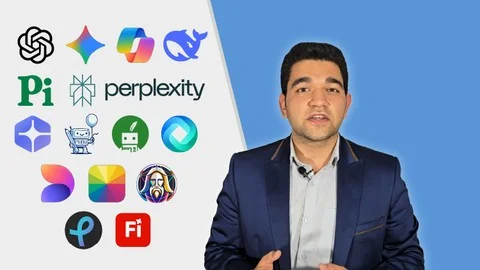
You will learn to use more than 15 powerful AI tools, including ChatGPT, Google Gemini, Microsoft Copilot, DeepSeek, Pi AI, Perplexity AI, YouChat, JotBot, QuillBot, HyperWrite, Microsoft Designer, Leonardo AI, Fotor, Pixlr, and Adobe Firefly.

What skills will I gain after completing this AI course?

You will learn AI brainstorming, AI-powered research, content writing, marketing content creation, AI productivity optimization, AI image generation, AI design, photo editing, and SEO content optimization using AI tools.

Can beginners learn AI content creation with this course?

Yes. The course provides step-by-step guidance, making it suitable for beginners who want to learn AI content writing, research, and creative workflows from scratch.

Does this course teach AI writing and SEO content optimization?

Yes. You will practice using AI writing tools such as JotBot, QuillBot, and HyperWrite to write faster, improve content quality, humanize AI-generated text, and optimize content for SEO.

Will I learn AI image generation and design?

Yes. The course teaches how to create images, marketing visuals, banners, posters, avatars, and branding assets using AI image generators and AI design tools like Microsoft Designer, Leonardo AI, and Adobe Firefly.

How can this AI course improve productivity?

By learning AI automation and productivity tools, you can save hours of work every week, streamline creative workflows, and produce higher-quality results more efficiently.

Is this course suitable for freelancers and marketers?

Yes. Freelancers and marketers can use the course to improve content production, automate repetitive tasks, enhance marketing workflows, and increase competitive advantage using AI tools.

Can I learn individual AI tools without following the full course path?

Yes. The course is structured as a practical bundle, allowing learners to follow the full learning roadmap or study specific AI tools based on immediate work needs.

What benefits will I receive after finishing the course?

After completing the course, you will be able to automate creative tasks, increase productivity, improve creative quality, build optimized AI workflows, and strengthen your competitive position in digital transformation and AI-driven markets.

About the Instructor

Phil Ebiner

Phil Ebiner

Top-Rated Video & Photography Instructor

4.8 Rating
👥 2,000,000 Students
📚 50 Courses

Phil is a content creator and instructor with over 10 years of experience. He has helped over 2 million students worldwide learn creative skills.
Course preview
4.8
👥45,678 students
⏱️18 hours

This course includes:

  • 🎥On-demand video
  • 📥Downloadable resources
  • 📱Access on mobile and TV
  • ♾️Full lifetime access
  • 🏆Certificate of completion