Coding For Kids - Code In Scratch, Html, Python, Ai & More
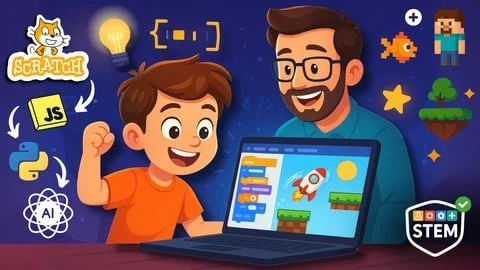
Introduce children to programming with fun, interactive lessons covering Scratch, web development, Python, and AI concepts
This course offers a beginner-friendly introduction to programming through a creative, hands-on learning journey. Starting with visual coding in Scratch and progressing to HTML and Python, learners will explore how games, websites, and simple applications are built while developing logical thinking and problem-solving skills. Designed to make coding approachable and enjoyable, the course provides a strong foundation for anyone beginning their programming journey.
What you'll learn
- ✓ Understand programming fundamentals through visual coding
- ✓ Create interactive games and animations with Scratch
- ✓ Build websites with HTML and CSS
- ✓ Learn Python programming basics
- ✓ Understand AI and machine learning concepts
- ✓ Develop problem-solving skills
- ✓ Create projects from start to finish
- ✓ Collaborate and share projects with others
- ✓ Debug and troubleshoot code
- ✓ Build confidence in programming
Course content
1 - Scratch Essentials - From Introduction to Game Creation 6 lectures • 35 min
Resources
2 - Building Blocks of Game Development in Scratch 4 lectures • 22 min
3 - Elevating Your Scratch Game - Intermediate Projects 12 lectures • 51 min
4 - High-Speed Coding - Crafting an Endless Traffic Game 11 lectures • 52 min
Resources
5 - Leveling Up Your Game 4 lectures • 19 min
Resources
6 - Launching a New Adventure - Arcade Ski Adventure Development 7 lectures • 35 min
Resources
7 - Enhancing Interactivity - Crash Dynamics and Advanced Programming Concepts 6 lectures • 30 min
Resources
8 - Final Lap - Perfecting Your Arcade Ski Adventure 7 lectures • 40 min
9 - Introduction to HTML5 and an HTML editor 6 lectures • 34 min
10 - Building a web page with HTML 6 lectures • 49 min
11 - Making your webpage look good 5 lectures • 31 min
12 - Creating additional webpages 6 lectures • 30 min
13 - Getting Started 5 lectures • 10 min
14 - Hello World - Your First Program 3 lectures • 8 min
15 - How to store all my stuff - Variables & Data types 5 lectures • 36 min
16 - Staying organised is easy - Lists 5 lectures • 16 min
17 - So many decisions 6 lectures • 39 min
18 - Going Loopy 8 lectures • 47 min
19 - Magic Boxes - Functions 6 lectures • 28 min
20 - Making your own game 5 lectures • 26 min
Requirements
- Age 7 and up (or younger with adult guidance)
- Access to a computer with internet
- Enthusiasm and curiosity about coding
- No prior programming experience needed
- Willingness to experiment and have fun
- Parent/guardian support for younger children
Learn Programming for Beginners – Scratch, HTML & Python Coding Course for Kids and Beginners
Looking for a fun and beginner-friendly way to learn programming? This course provides a complete introduction to coding for beginners, guiding students step by step from visual programming to real-world coding using Scratch, HTML, and Python.
Designed for young learners, parents, and beginners of all ages, this hands-on course transforms programming into an engaging and creative experience. Instead of complex technical theory, learners build games, create web pages, and develop practical coding skills through interactive projects.
Courses in Web development category may be you like:
- Build A Chat Application Using Mern Stack
- Build A Typing Speed Test With Javascript And Css
- Build Chrome Extensions With Ai Cursor
Some courses in Android category may be you interested:
> Note: The course is intended to be purchased by adults for students or personal learning.
Who Should Enroll?
This course is ideal for:
- Students starting their coding journey
- Parents who want to introduce children to computer programming
- Beginners learning programming from scratch
- Adults seeking an easy introduction to coding without technical jargon
- Anyone interested in developing future-ready digital skills
What You Will Learn
Introduction to Programming with Scratch
Students begin with Scratch, a visual programming platform developed by MIT, perfect for learning logic without syntax complexity.
Key learning outcomes:
- Understanding programming logic and sequences
- Building interactive games
- Learning variables and control structures
- Developing creativity through game design
Scratch provides a smooth entry point into computational thinking and problem-solving.
Build Your First Websites with HTML
After mastering foundational concepts, learners transition to HTML web development.
You will learn how to:
- Create structured web pages
- Understand tags and page layout
- Design simple websites
- Learn the basics of how the web works
This stage introduces learners to real-world web development fundamentals.
Learn Python Programming Basics
Students then move into Python for beginners, one of the most popular and versatile programming languages today.
Topics include:
- Python syntax and logic
- Automation basics
- Writing simple programs
- Building small interactive projects
Python helps learners bridge the gap between beginner coding and real software development.
Why Choose This Course?
Engaging Project-Based Learning
Students learn by doing — through:
- Game development projects
- Website creation
- Hands-on Python exercises
This keeps learning exciting while reinforcing core programming concepts.
Beginner-Friendly Progression
The course follows a carefully designed pathway:
Scratch (visual coding) → HTML (web structure) → Python (text-based programming)
This progression builds confidence and reduces learning frustration.
Expert & Relatable Instruction
The course is taught by:
- Craig, a PhD educator with decades of experience in IT and educational technology
- Joshua, a young coding enthusiast who brings a relatable learner perspective
Together, they create a supportive and motivating learning environment.
Course Features
- High-quality video lessons with clear explanations
- Step-by-step coding walkthroughs
- Downloadable exercises and solutions
- Gradual transition from visual to text-based coding
- Practical projects designed for beginners
Learning Journey Overview
Your programming journey includes:
1. Introduction to Programming & Scratch
2. Game Development (Part 1–3) – Build and enhance interactive games
3. Introduction to HTML – Create your own web pages
4. Python Basics (Part 1–2) – Learn logic, syntax, and automation
5. Conclusion & Next Steps – Continue your coding growth
Why Learning Programming Matters
Programming is more than a technical skill — it develops:
- Creativity
- Logical thinking
- Problem-solving abilities
- Digital literacy for the future
Whether for children exploring technology or adults beginning a new skill, coding opens doors to endless opportunities in the digital world.
Who This Course Is For
- Students learning programming for the first time
- Adults starting coding without prior experience
- Parents introducing children to STEM skills
- Anyone wanting a simple, enjoyable introduction to programming
If you're ready to begin your coding journey through games, websites, and real Python projects —
👉 Enroll today and start discovering the joy of programming.
Frequently Asked Questions
What is the Programming for Beginners course about?
This course introduces programming from scratch by teaching Scratch, HTML, and Python through hands-on projects such as building games, creating websites, and writing simple programs.
Who is this beginner coding course designed for?
The course is designed for beginners with no technical background, students starting coding, parents enrolling children in programming education, and adults who want to learn programming from zero.
Do I need any prior programming experience?
No. The course starts from the fundamentals and is specifically designed for learners with no prior coding experience.
Why does the course start with Scratch?
Scratch helps learners understand programming logic and computational thinking through visual blocks, making it easier to grasp core concepts before writing actual code.
What will I learn with HTML in this course?
You will learn basic HTML structure, how web pages are built, how to use HTML tags, and how to create your first simple website.
What Python skills will I gain?
You will learn Python fundamentals including syntax, programming logic, simple automation, and building small practical projects.
Is this course suitable for children?
Yes. The course is designed so parents can enroll children, while also being accessible for adult beginners.
Will I build real projects during the course?
Yes. You will build interactive games in Scratch, create a website using HTML, and complete beginner-friendly Python projects.
How is the learning path structured?
The course follows a gradual learning path: Scratch for logic foundations, HTML for web basics, and Python for coding and software development skills.
Does the course help develop problem-solving skills?
Yes. Through project-based learning, students develop logical thinking, creativity, and problem-solving abilities.
What teaching approach is used in this course?
The course uses step-by-step video lessons, practical exercises with solutions, and project-based learning to ensure strong understanding.
What will I achieve after completing the course?
You will understand programming fundamentals, create simple games and websites, write beginner Python programs, and build a solid foundation for advanced programming learning.
About the Instructor

Craig Blewett
Certified Kids Programming Instructor
Passionate educator with 12+ years teaching coding to children. Specializes in making complex programming concepts fun and understandable for young learners of all ages.
This course includes:
- 🎥On-demand video
- 📥Downloadable resources
- 📱Access on mobile and TV
- ♾️Full lifetime access
- 🏆Certificate of completion